Let’s learn how to go through the A2P Set up within minutes!
How To Get Started?
Setting up your A2P Registration: is a messaging compliance system that enables businesses to send text messages. Typically takes 2 weeks to get verified.
Standard Operating Procedure
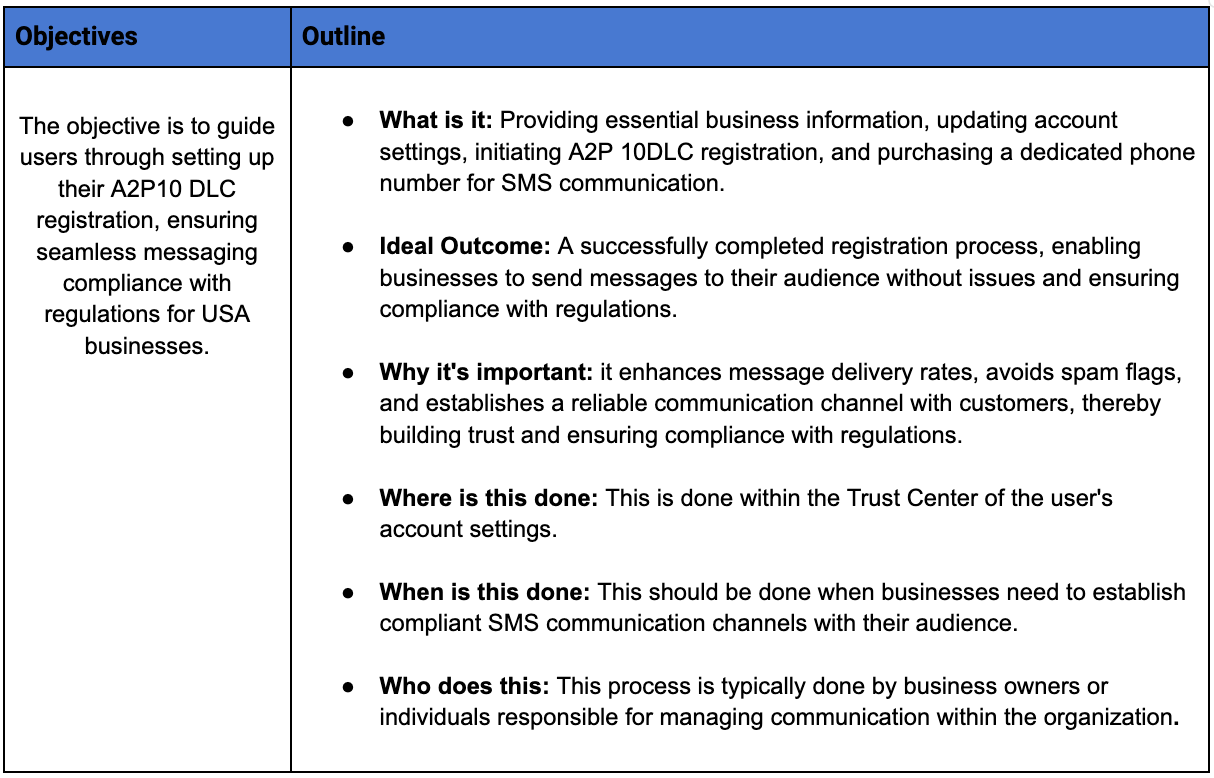
Step by Step Guide
Here is step by step guide for how to do A2P Registration
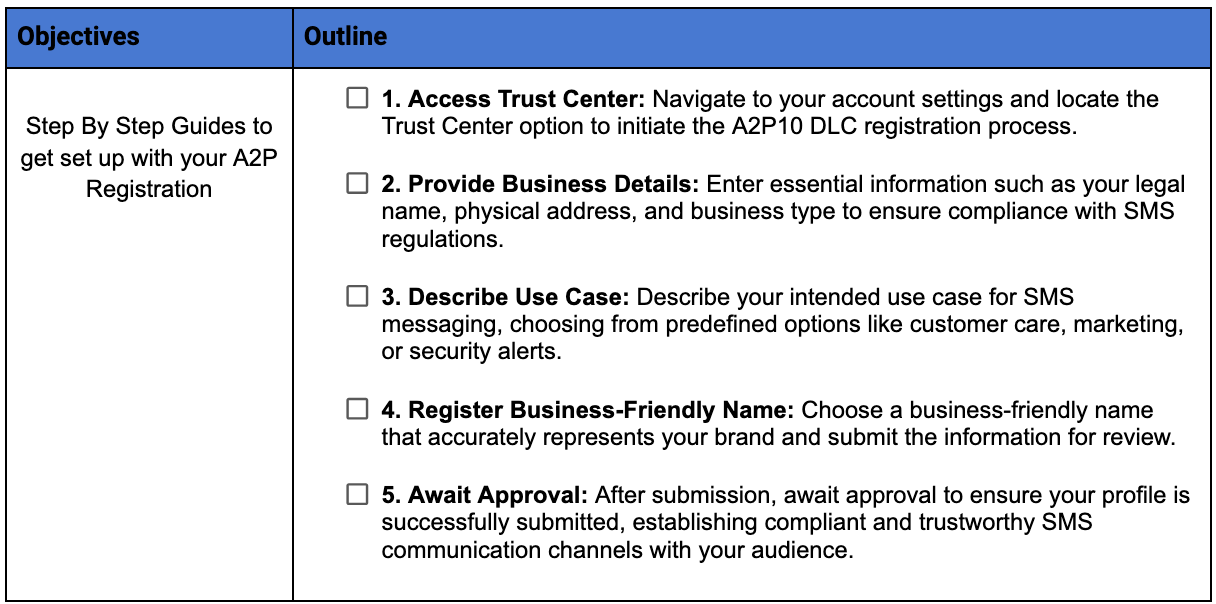
Campaign Approval
Step 1. You will need to have a website with terms & conditions page & privacy policy, and put this paragraph in your terms page, ( you can copy ours below)
Our SMS Regulatory Compliance:
If you opt-in to a form on our website you may receive sms reminders regarding your appointment. You can cancel the SMS service at any time. Simply text "STOP" to the shortcode. Upon sending "STOP," we will confirm your unsubscribe status via SMS. Following this confirmation, you will no longer receive SMS messages from us. To rejoin, sign up as you did initially, and we will resume sending SMS messages to you. If you experience issues with the messaging program, reply with the keyword "HELP" for more assistance, or reach out directly to support@YOUREMAIL.COM . Carriers are not liable for delayed or undelivered messages. As always, message and data rates may apply for messages sent to you from us and to us from you. Message frequency varies. For questions about your text plan or data plan, contact your wireless provider. For privacy-related inquiries, please refer to our Privacy Policy.
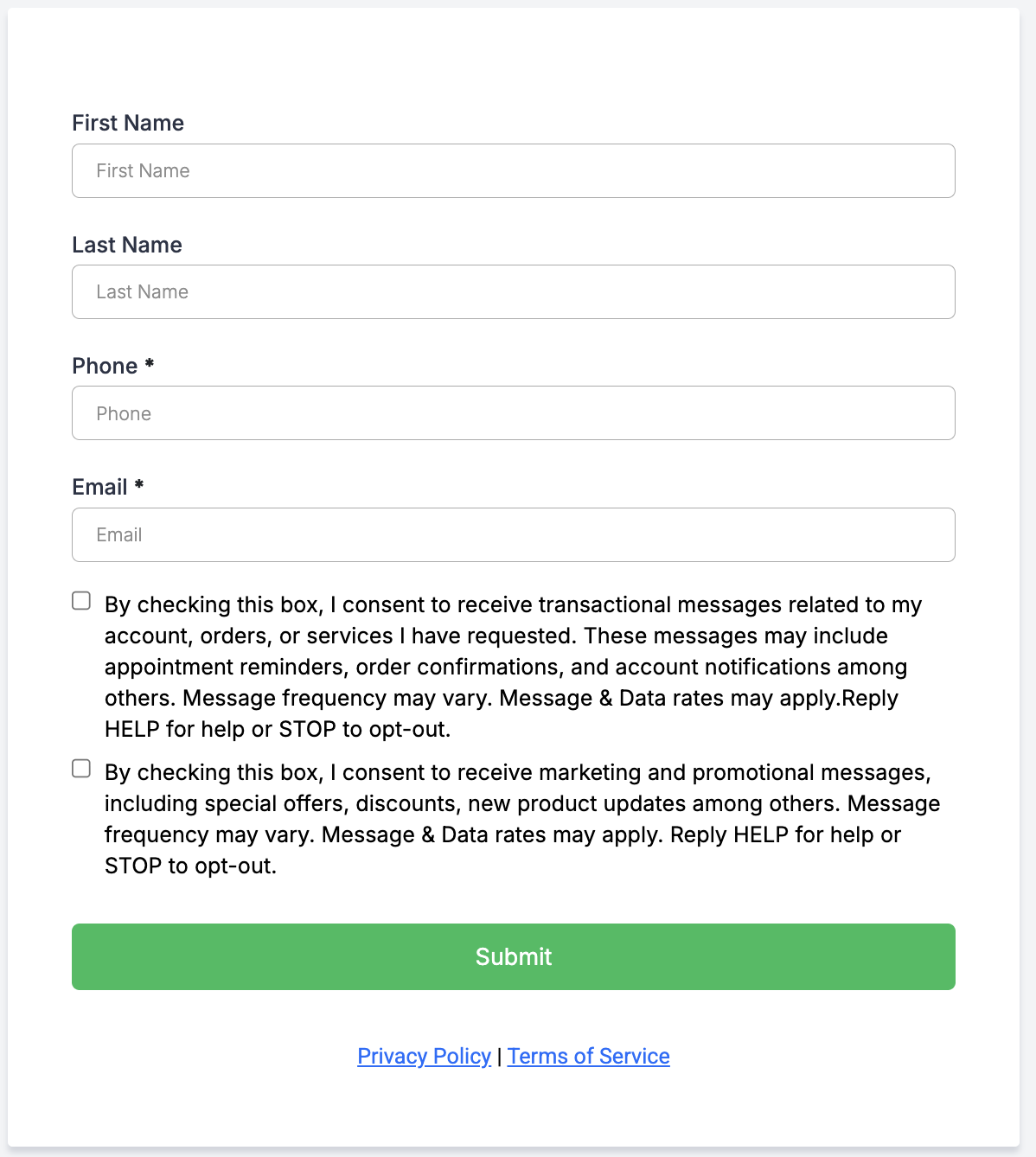
Step 2: On your contact forms add the opt-in consent checkboxes like the example below:
*Note: If you create a new form in Go High Level, this is added by default (you can remove this after approval):
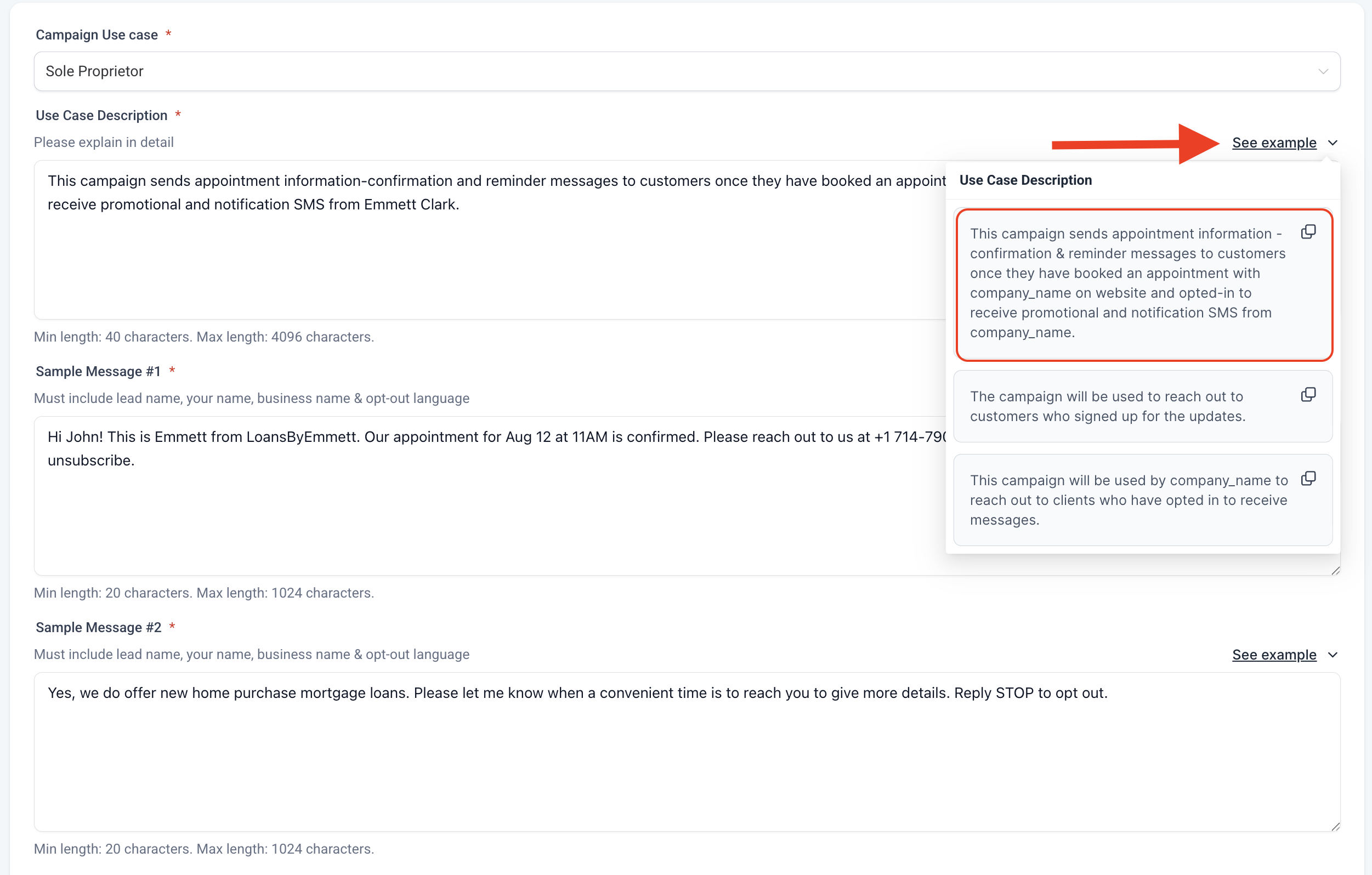
Step 3: Complete the campaign setup by using the examples provided to you inside GHL, replacing company_name with your company name or sole proprietor name:
Was this article helpful?
That’s Great!
Thank you for your feedback
Sorry! We couldn't be helpful
Thank you for your feedback
Feedback sent
We appreciate your effort and will try to fix the article